IMPORTANT FOR LOGGED-IN USERS (CONSOLE/PC)
ORDER REQUIREMENTS
You must have at least:
5000 Coins (PC) lub 2000 Coins (PS/XB)
Clear your unassigned items before ordering
Your account must have access to the transfer market in WebApp
👉 How to check active market?
FAQ
HOW TO CHECK BACKUP CODES?
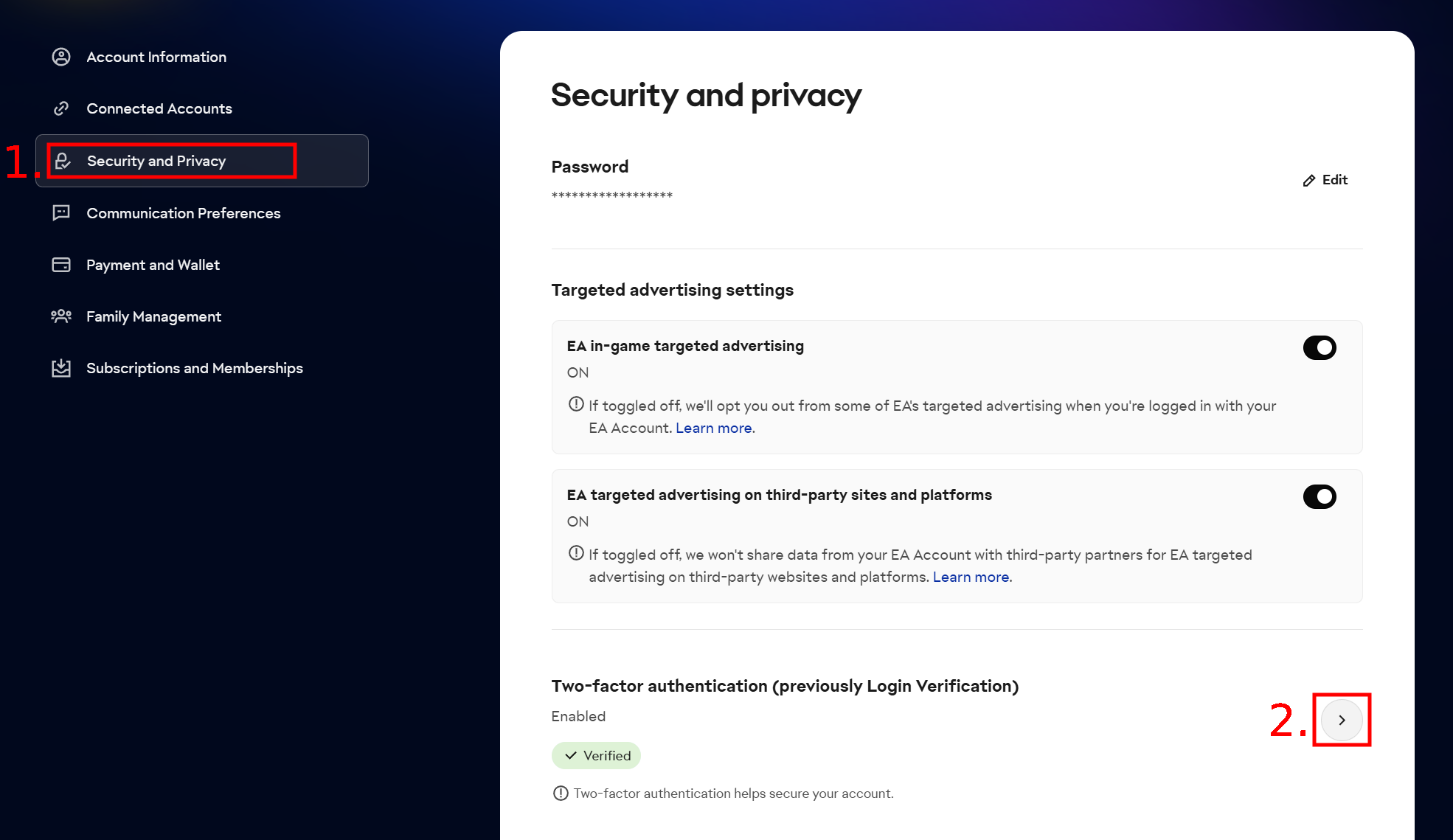
To get 6 backup codes, you must log in on this page. Then go to the Security and Privacy tab and click on the ARROW next to the "Two-factor authentication" option, as shown on the image below:

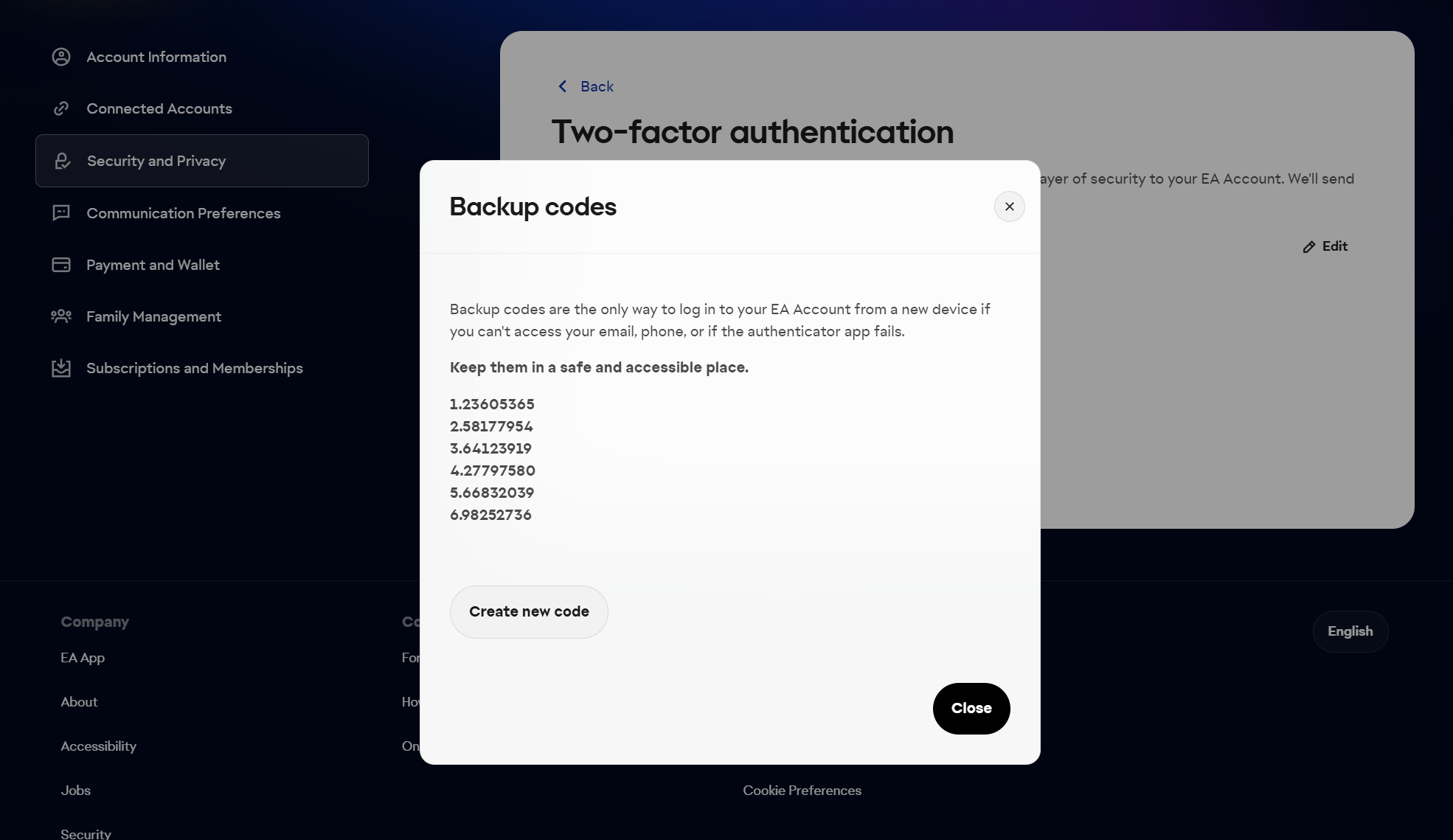
Then a window will pop up to enter a 6-digit code from EA. Please check your email and enter the code. After confirming, a new window will pop up where the two-factor authentication must be enabled (otherwise codes cannot be generated).
If the authentication is already enabled then now click the "View backup codes" option, as shown on the image below:

WHERE CAN I FIND THE E-MAIL ADDRESS AND PASSWORD FOR LOGGING INTO THE WEBAPP?
HOW CAN I CHECK IF I HAVE AN ACTIVE TRANSFER MARKET?
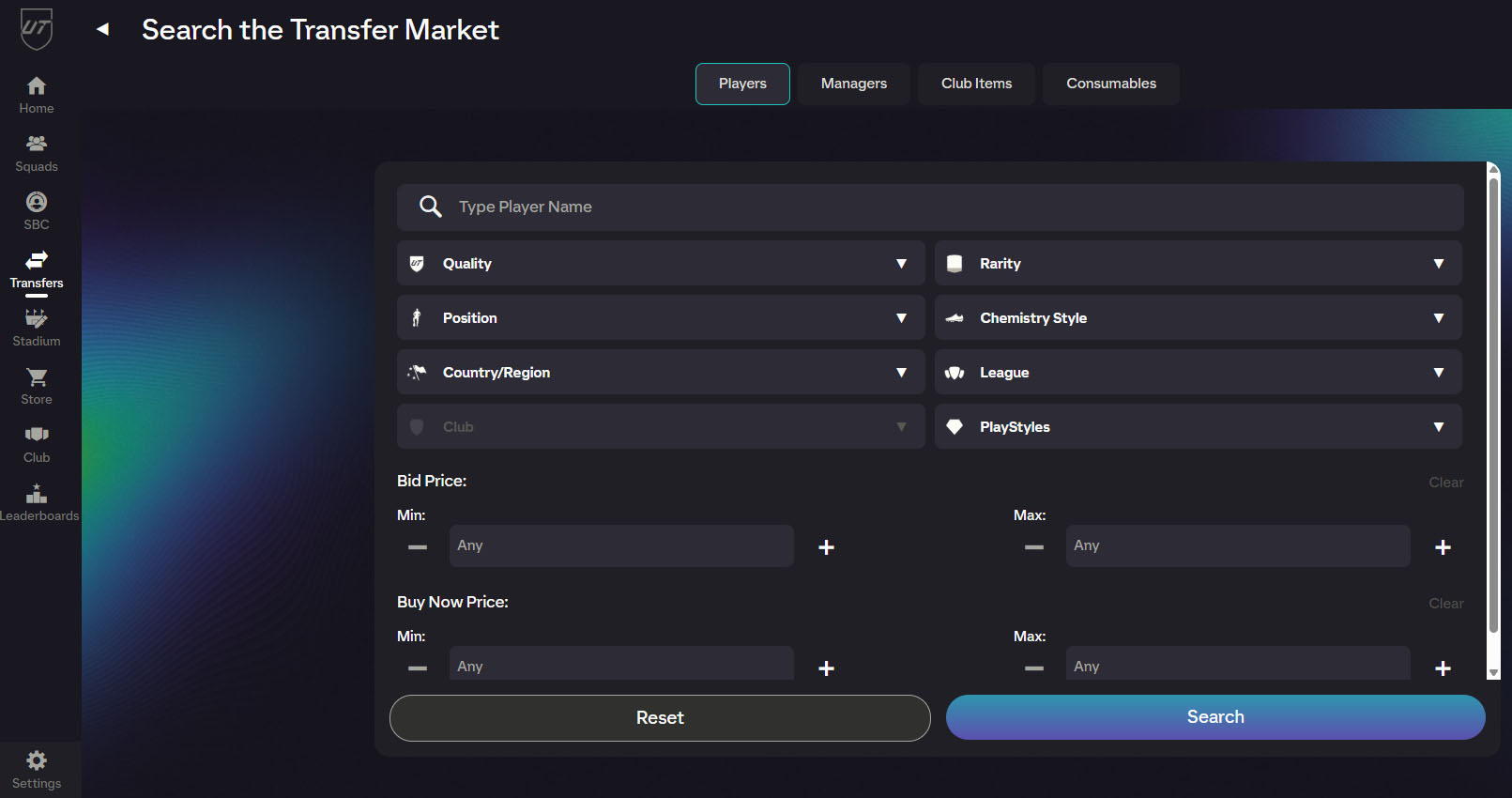
The transfer market is active for accounts that have already played several matches in a few days at UT. To verify that the market is active, log on to this page, and then select Transfers> Transfer Market. If the page after loading looks like this:

This means that the market is active and we can recharge your account.
Shop reviews
Review: Positive
Review: Positive
Review: Positive
Order or selling order status