


Finish your order
| Product name: | Esperanza Pizarro (Team of the Week, OVR 84, ST) - PC |
| Price: | £ 0.34 / szt. |
| Maximum delivery time: | 1h |
Last step - give us your account details and we'll deliver the card
In the fields below you enter the login details for your EA account (WebApp) and your one-time backup codes. Using them, we sign in to your account, buy the selected card on the transfer market and deliver it straight to your Ultimate Team club. Below we explain step by step what to enter and where to find it.
What to enter in the form below
Your e-mail address
Your contact address. We'll send the order confirmation and status updates here. It does not need to be linked to your EA account.
WebApp login e-mail
The email address you use to sign in to your EA account and the WebApp.
WebApp login password
The password for the same EA account.
EA backup codes
One-time EA security codes. Provide at least 3 fresh codes. How to generate them - expand the guide below.
How delivery works
1
You enter your WebApp login details and EA backup codes in the form below.
2
We sign in to your account and buy the selected card on the EA transfer market.
3
We deliver the card to your account - it lands straight in your Ultimate Team club.
4
You get a confirmation - the player is ready to add to your squad.
Step-by-step guides (click to expand)
How to generate EA backup codes?
Backup codes are one-time EA security codes we use to complete your order. You can generate them in four steps:
1
Log in to your EA account settings - open account settings.
2
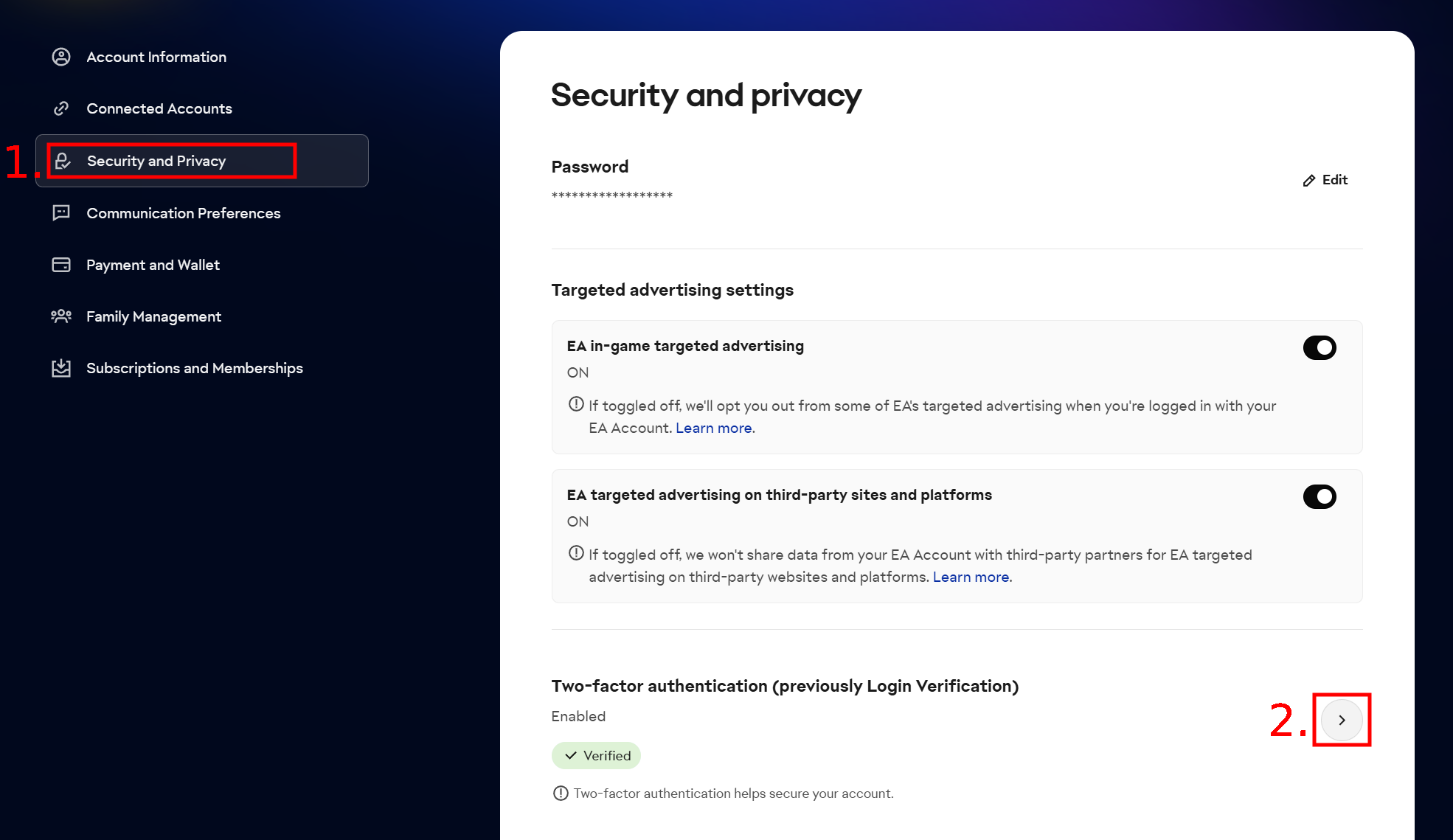
Go to the Security and Privacy tab and click the arrow next to Two-factor authentication - as shown in the image below.
3
Enter the 6-digit code EA sends to your email address and confirm. Make sure two-factor authentication is enabled - without it you cannot generate backup codes.
4
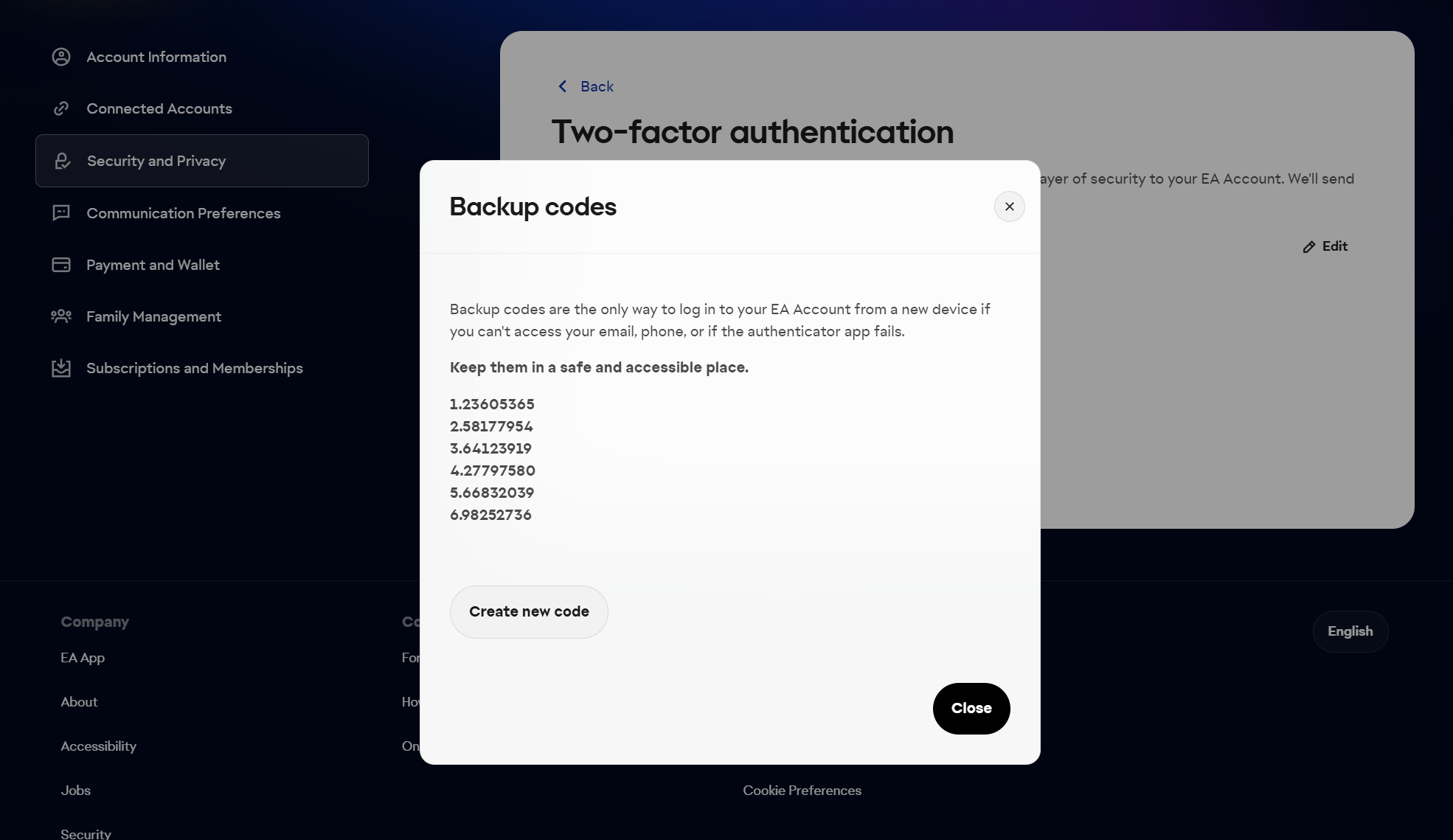
Click View backup codes and copy all the codes shown - as in the image below.
Provide at least 3 working codes
Orders with a single code cannot be completed - we will have to ask for more, which delays fulfillment. The codes are one-time use, so generate a fresh set for every new order.
Where do I find my WebApp e-mail and password?
These are the login details for your EA account - the same ones you use in the game and in the WebApp:
WebApp e-mail
The email address you use to sign in to the EA WebApp.
WebApp password
The password you use to sign in to the EA WebApp.
EA backup codes
One-time security codes - see "How to generate EA backup codes?" above for how to generate them.
How to check whether my transfer market is active?
The transfer market is active on accounts that have played several matches in Ultimate Team over the past few days. Without an active market we cannot deliver the card. To check whether your market is active:
1
Log in to the EA WebApp.
2
Select Transfers > Transfer Market.
If the page looks like this after loading:
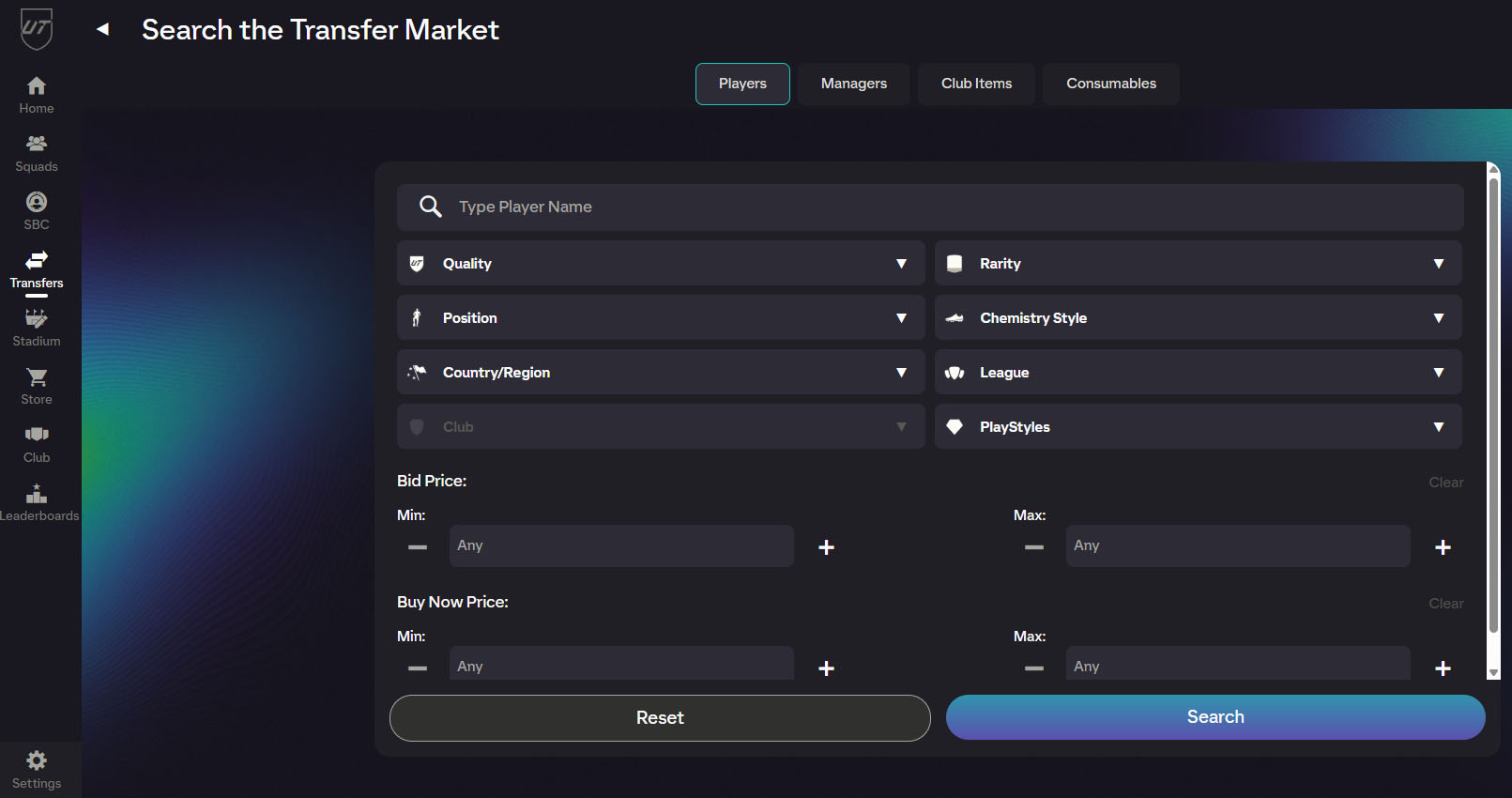
then your market is active and we can deliver the card to your account.
Before you confirm your order
Log out of Ultimate Team
If you are logged in to Ultimate Team (in the game or the WebApp), return to the main menu before fulfillment. If you close the game or console while still in Ultimate Team, WebApp access is locked for about 30 minutes and delivery will be delayed.
Make sure your transfer market is active
We deliver the card through the transfer market, so your account must have access to it. See the section above for how to check.
Provide fresh backup codes
Backup codes are one-time use - generate a new set for every order and provide at least 3 working codes.
Your account's security
We use procedures refined since 2015. We use your login details solely to complete this order, and we tune the delivery parameters to protect your account as much as possible. Our team oversees every stage of the process.
All set? Fill in the fields below and click Add to cart ↓
