




Sell your coins - new functions of the platform
During the past several months, the „SELL YOUR COINS” section was expanded by means of adding new functionalities to it. Below, you can find detailed pieces of information on all of them. To start with, we publish the table of contents for our users to be able to easily and comfortably browse through sections they may be interested in:
After logging in to our website and entering the My account -> Your Selling Orders section, you can check the history of your Coin-related sales within the website.
The panel looks like this:
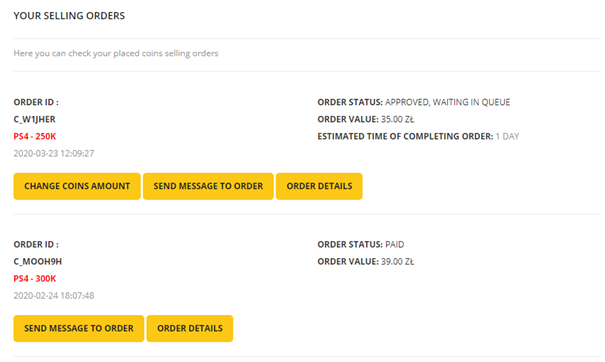
Thanks to it, you can familiarize yourself with all the key pieces of information on your previous (or current) Coins sale-oriented orders.
If the status of your order is “Approved, waiting in queue”, you can request the amount of Coins in your order to be changed. You can also check how long the process of your order realization is going to take at any time. Waiting time is constantly updated, basing on the number of unfinished orders waiting in queue before yours.
You can do this by entering: My account -> Your Coins Selling Orders
The estimated order realization time can be seen in the info section next to your order (as presented below).
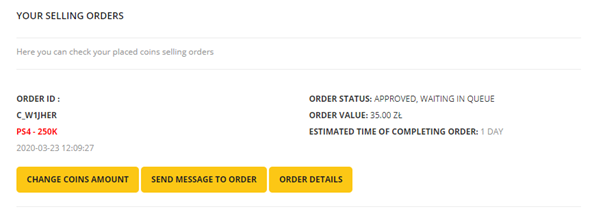
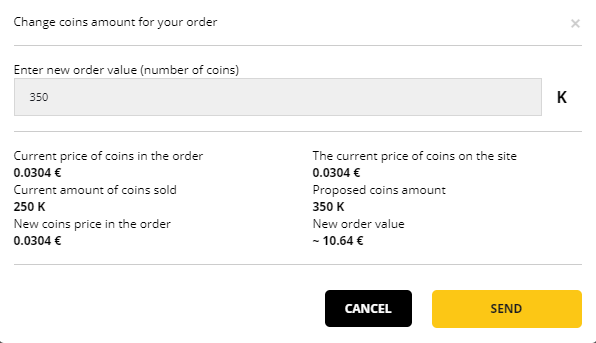
To change the amount of Coins, you have to click the „Change coins amount” button. A new window will pop up. Use it to provide the updated amount of Coins:
After your order being realized, you can review it. Within a few days from the moment of order conclusion, you will receive an e-mail notification from us reminding you to post a review on servicing quality.
The opinion will be published on the Coins Buy-up section of our website, namely: https://supercoinsy.pl/sell-coins-offer
On said page, 10 random opinions are displayed. After refreshing it a few times, you will surely come across your review:

We have also updated the form by means of which you can provide us with the data pertaining to the Coins account.
Main new features of the form are as follows:
- possibility of providing data of numerous accounts in one order (if the accounts are on the same platform)
- possibility of selecting an option allowing to take out all the Coins available at the moment of order realization
The refreshed form looks like this:
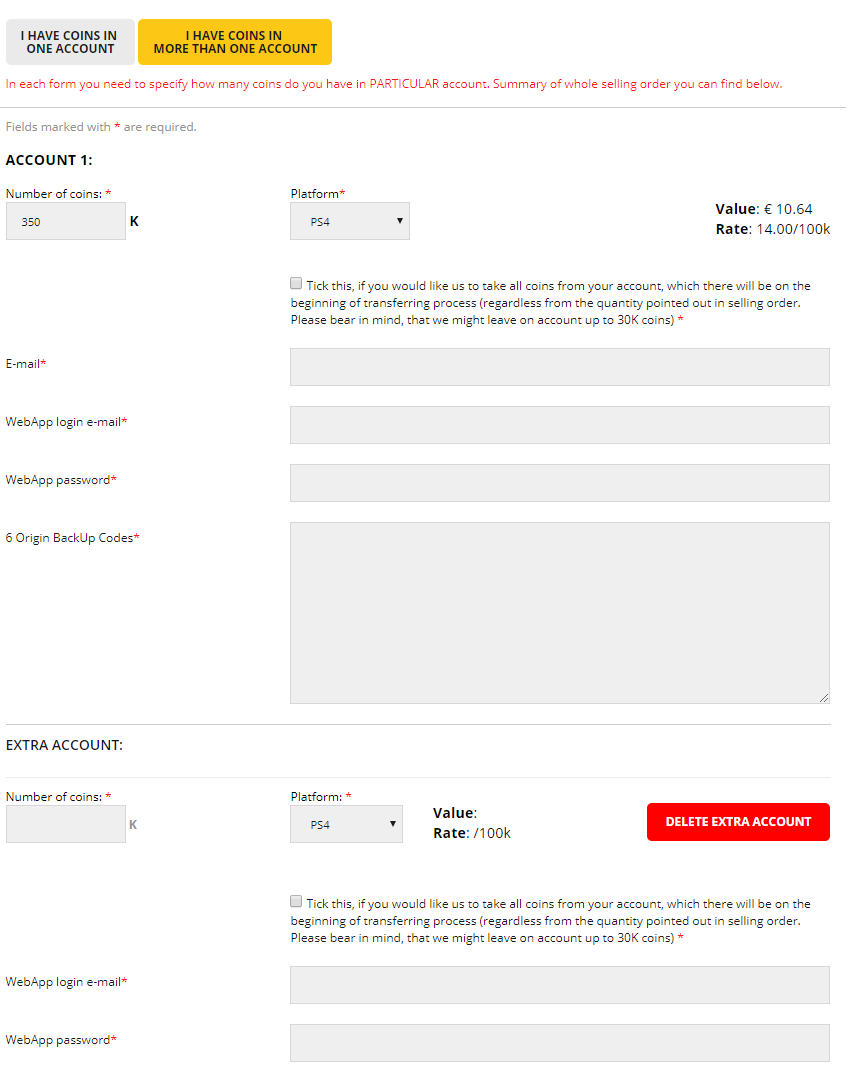
All the provided amounts of Coins will be calculated in real time. Below the form, you will see the current exchange rate for the Coins sold.
Yet another functionality of the Coins Buy-Up section is the possibility of enabling e-mail notifications on any change of the Coins Buy-Up rate within our website.
To enable the notifications, enter the main subpage of the Coins Buy-Up section: https://supercoinsy.pl/sell-coins-offer and go to the part of the page right below the field where the amount of Coins to be sold can be provided:

and click „Sign In”. A new window will pop up
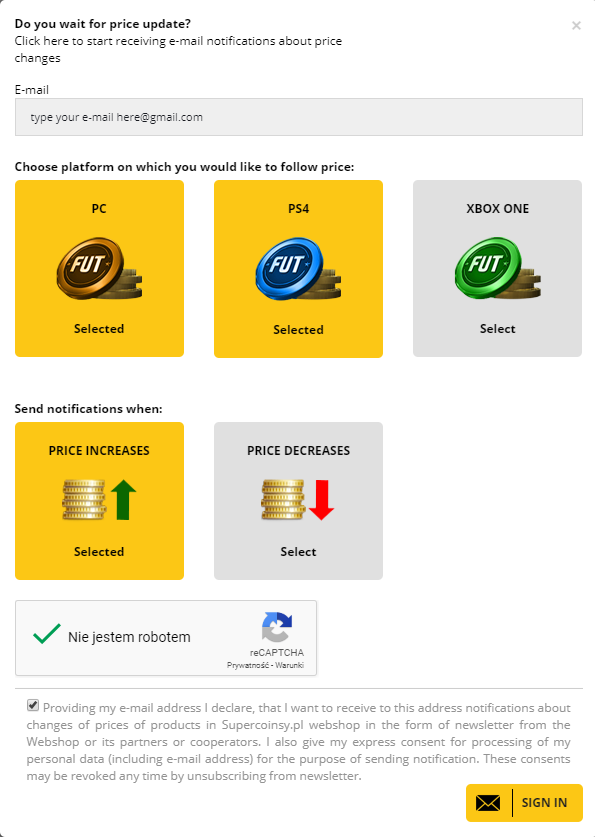
You can select types of pieces of information you are interested in and enable notifications on each and every exchange rate change.
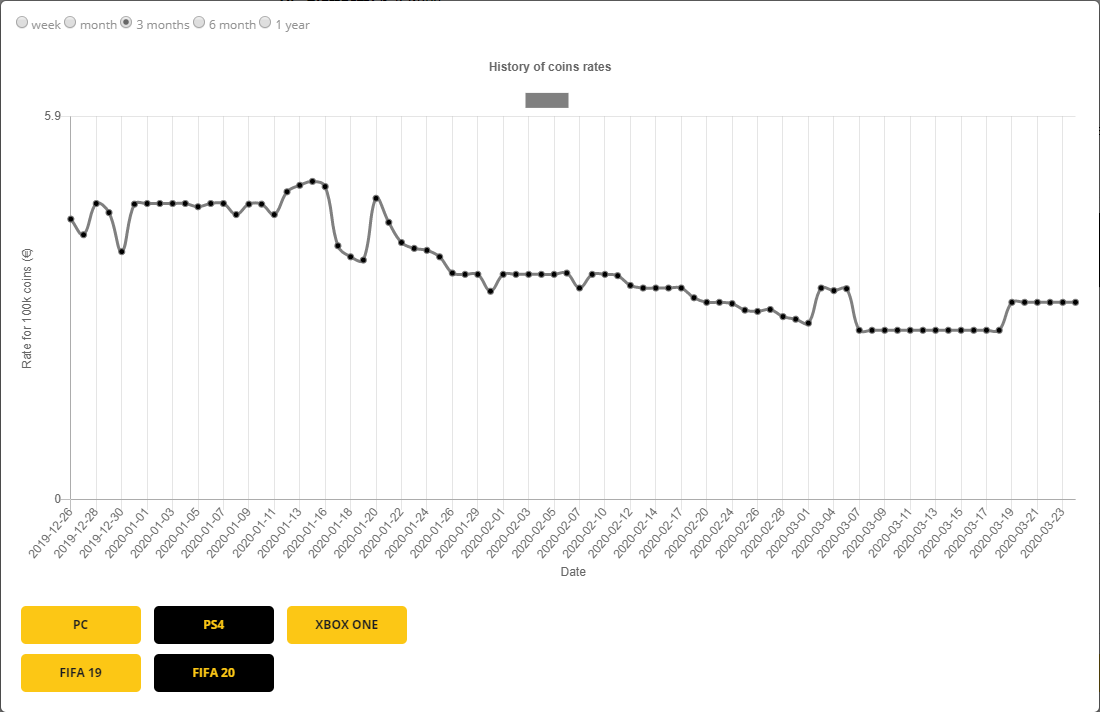
The last functionality we have introduced is the Coins buy-up rate history. Now, you can check price fluctuations on every platform for FC 25 and FC 26.
All you have to do is to click the „Check history of coins rates” button below the form where you can provide the amount of Coins to be sold:
where you can set parameters that are of interest to you and check how our rates changed in time.
For example, below you can see the chart of Coins Buy-Up rate changes within the last 3 months for PS4:
We hope that the changes we have introduced will make using our platform even more pleasant. If you happen to have any further feedback and proposals pertaining to the development of our website – do not hesitate to send them our way.
