

1 Select coins
2 Provide data
3 Cart & summary
4 Payment method

Order data

You need to give us backup codes, because without them we won't be able to access your account. It is needed for console platforms as well
🔒 Secure connection (HTTPS/TLS)
🕘 Processing time: usually 1–2h, check exact time here
⭐ 100,000+ orders completed since FIFA 14

IMPORTANT FOR LOGGED-IN USERS (CONSOLE/PC)

✅ If you were logged into Ultimate Team – before placing your order, exit to the main game menu.
❌ If you turn off the game/console while still in Ultimate Team, WebApp access will be blocked for about 30 minutes

ORDER REQUIREMENTS

Coins amount

You must have at least:
6000 Coins (PC) lub 6000 Coins (PS/XB)

No unassigned items

Clear your unassigned items before ordering

Active market

Your account must have access to the transfer market in WebApp
👉 How to check active market?

FAQ

HOW TO CHECK BACKUP CODES?

Backup codes are one-time EA security codes we use to complete your order. You can generate them in four steps:
1
Log in to your EA account settings - open account settings.
2
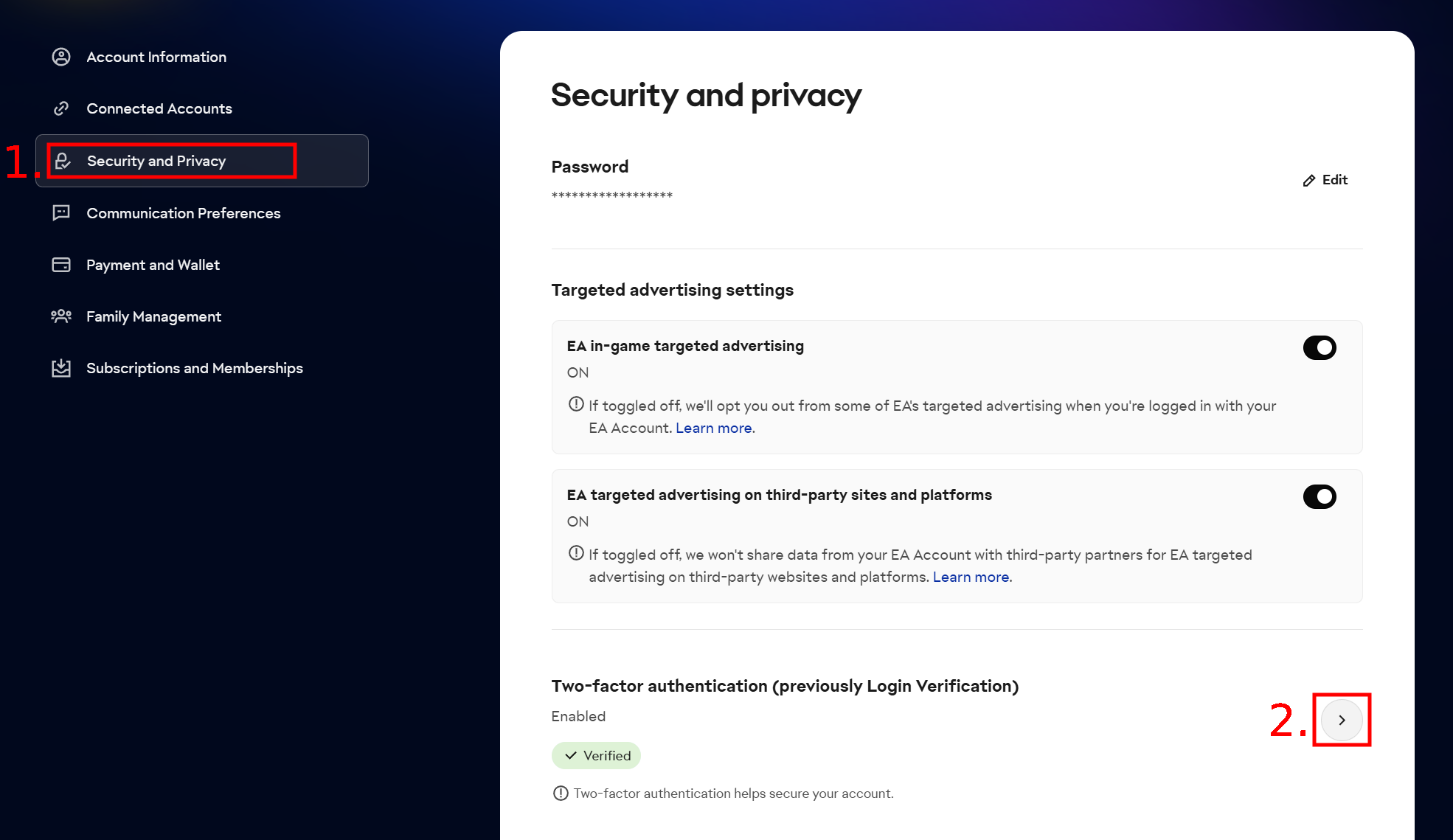
Go to the Security and Privacy tab and click the arrow next to Two-factor authentication - as shown in the image below.
EA account Security and Privacy settings
3
Enter the 6-digit code EA sends to your email address and confirm. Make sure two-factor authentication is enabled - without it you cannot generate backup codes.
4
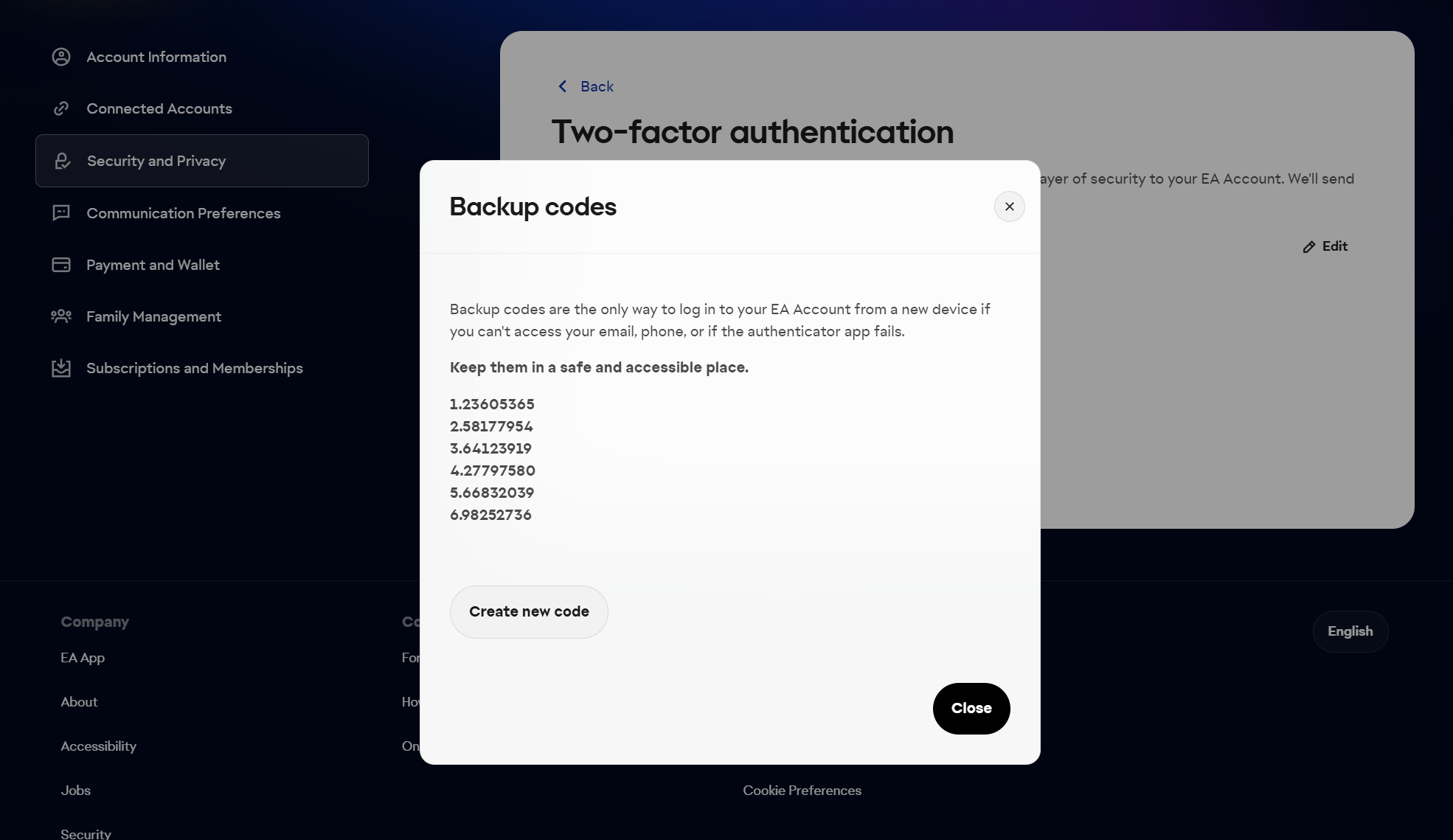
Click View backup codes and copy all the codes shown - as in the image below.
EA backup codes window
Provide at least 3 working codes
Orders with a single code cannot be completed - we will have to ask for more, which delays fulfillment. The codes are one-time use, so generate a fresh set for every new order.

WHERE CAN I FIND THE E-MAIL ADDRESS AND PASSWORD FOR LOGGING INTO THE WEBAPP?

We need three pieces of information to recharge your account:
WebApp e-mail
The email address you use to sign in to the EA WebApp.
WebApp password
The password you use to sign in to the EA WebApp.
6 EA backup codes
One-time security codes - see "How to get backup codes?" above for how to generate them.

HOW CAN I CHECK IF I HAVE AN ACTIVE TRANSFER MARKET?

The transfer market is active on accounts that have played several matches in Ultimate Team over the past few days. To check whether your market is active:
1
Log in to the EA WebApp.
2
Select Transfers > Transfer Market.
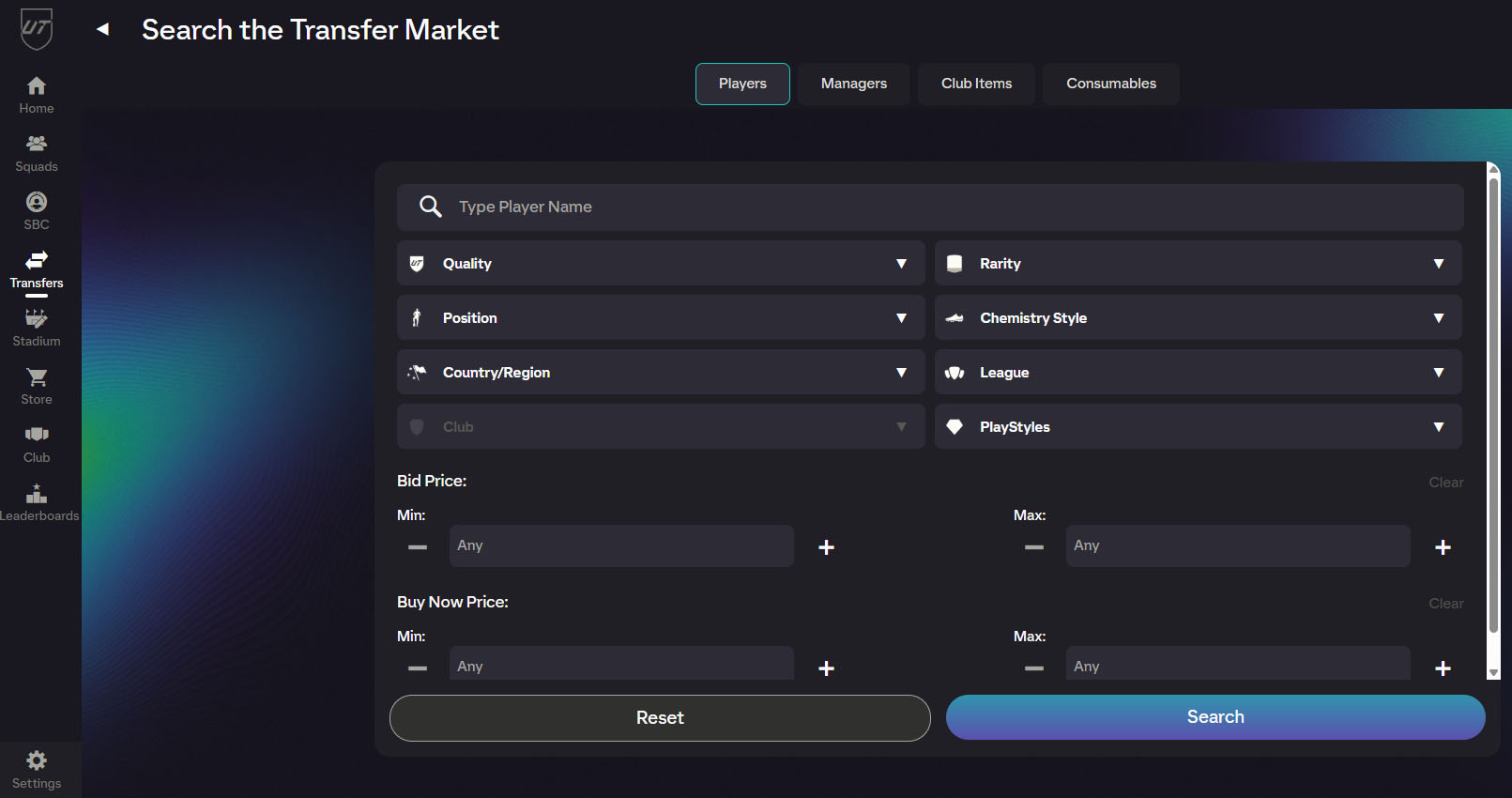
If the page looks like this after loading:
Transfer Market search screen in the EA WebApp
then your market is active and we can recharge your account.

Shop reviews

q**[email protected] | C_H8G3XJ | Sold: 146K FIFA Coins PC | 2025-09-25
Review: Positive
Content: the best
a**[email protected] | C_BUZZA3 | Sold: 2707K FIFA Coins PC | 2022-11-29
Review: Positive
Content: very fast! i reccomend sell coins here!
d**[email protected] | C_QQSKPX | Sold: 2297K FIFA Coins PS5, PS4, XSX, XSS, XONE | 2025-04-05
Review: Positive
Content: Everything was good, its relieble and employees are helpful. I really recommend it!
deliver
Check

Order or selling order status